





AI
AI Project Risk Management: Spot Late Work Before It Slips
AI project risk management in practice: use AlianHub's Ask box, Reporter digests and agents to find overdue, blocked and overloaded work before deadlines slip.
Read
Free to self-host. Projects, tasks, time tracking, chat and reports in one workspace that grows into your ERP, with AI agents doing the work. You approve what matters.
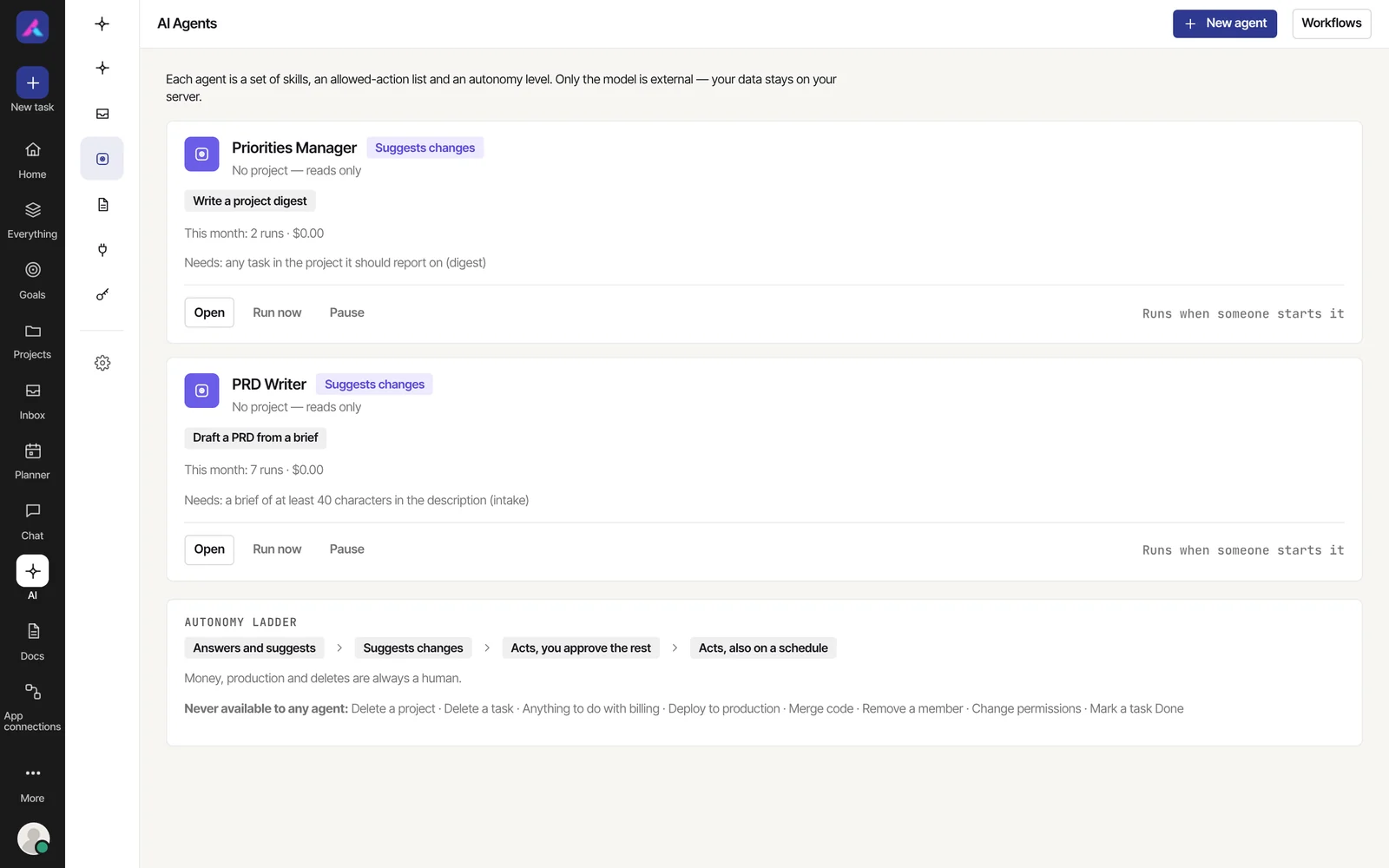
Three of your tasks need attention.
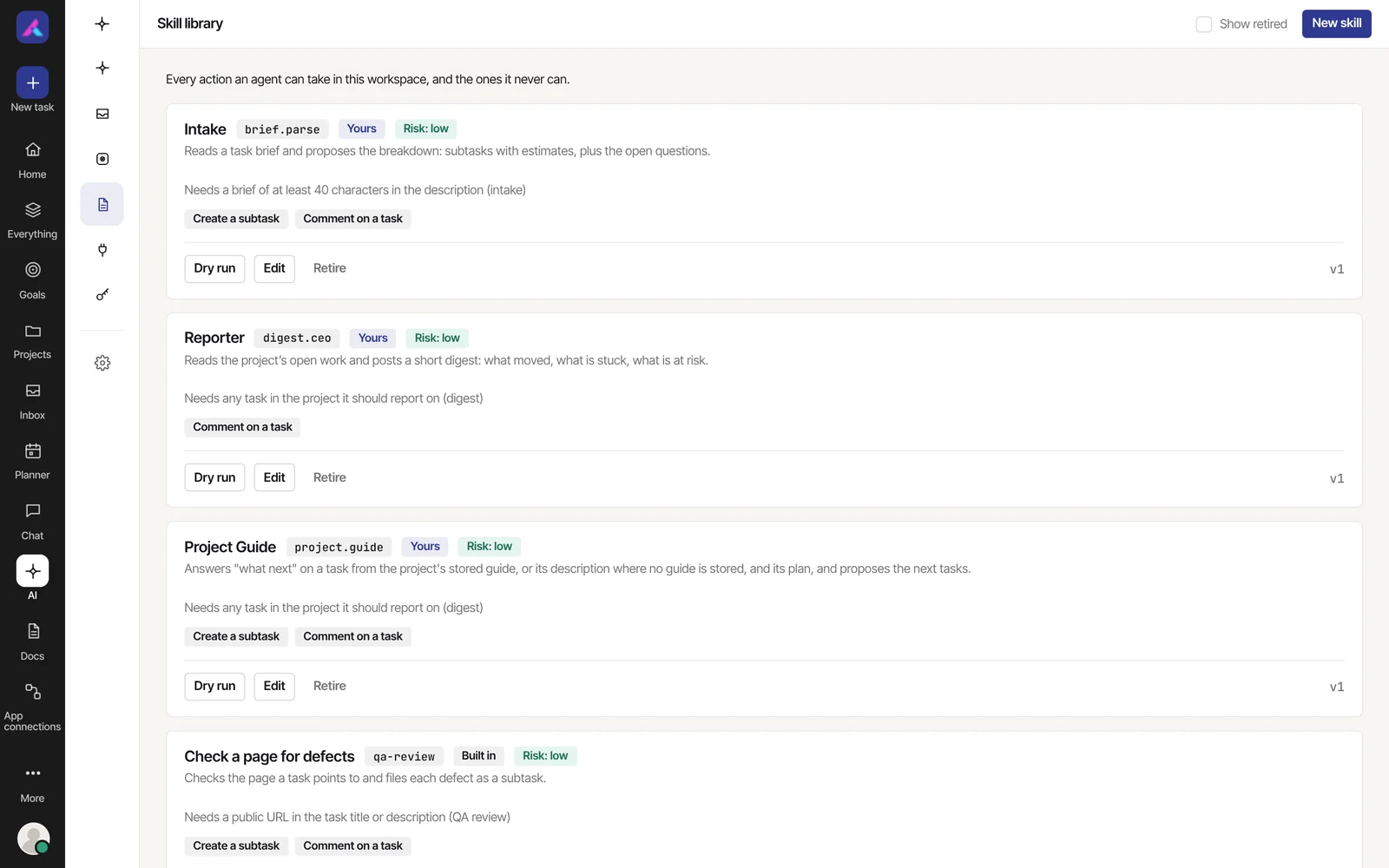
Preview only. Nothing was written.
Two supplier orders are late.
Decline with a reason, and the agent sees it.
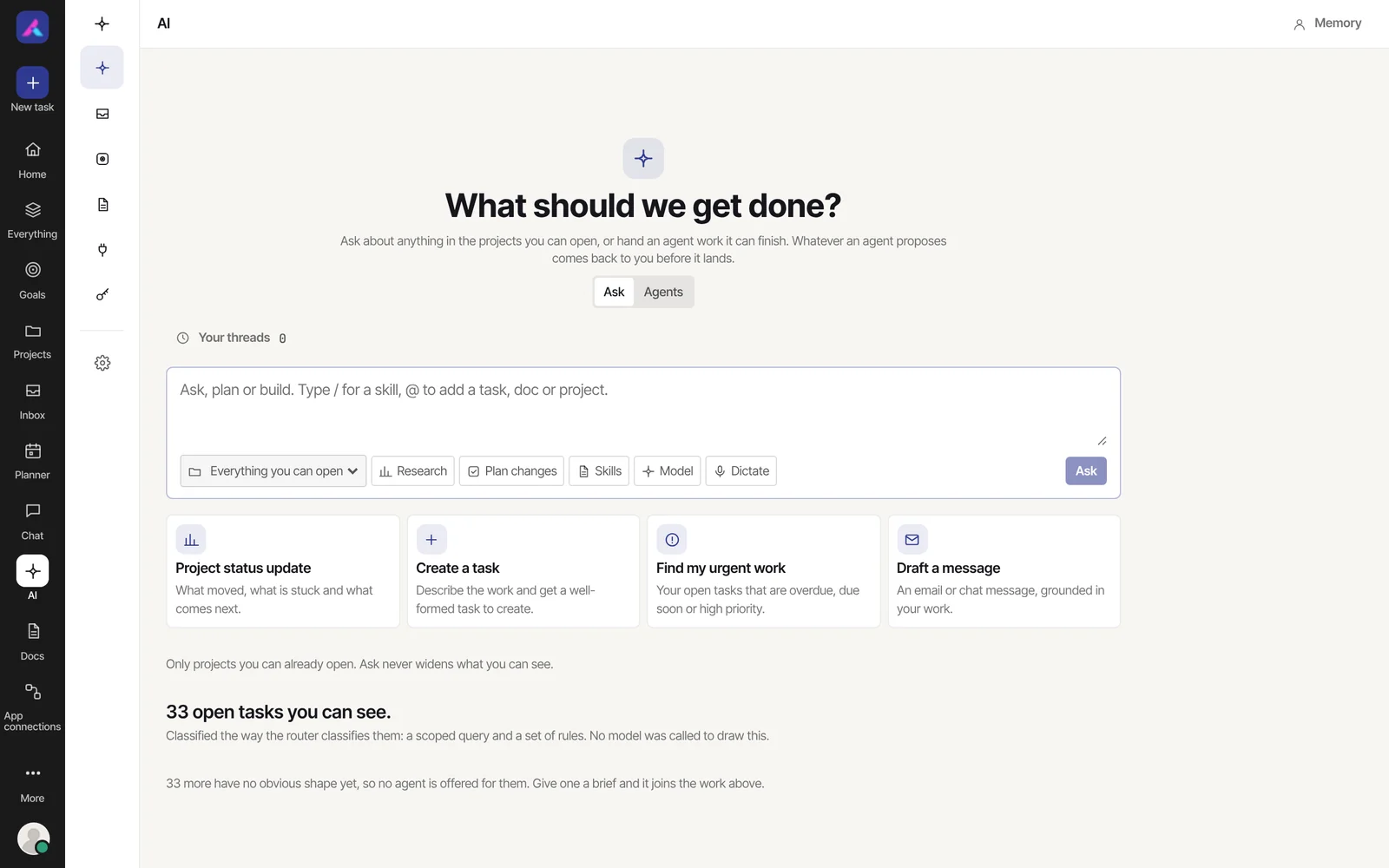
Add a subtask “Order signage” to Open day, comment on it, and assign it to Arjun.
It sees only the projects you can open.
Ask in plain words. Answers come only from the projects you can open.
Some features are switched on by whoever runs the server: team packs, workflows, app connections, connecting your AI by address, the extra MCP tool tiers and skills that read outside your workspace. If the demo shows one as switched off, that is why.
List, Board, Table, Calendar, Gantt and Workload, synced in real time.
Timers, weekly timesheets and approval.
Channels, direct messages and @mentions.
Every project on track, at risk or off track.
Drag unscheduled tasks onto your week.
GitHub, GitLab, Slack, Microsoft Teams, Zapier and Google Calendar.
Widgets for status, time against estimate and free capacity.
Docker Compose with MongoDB 7, on your own server.
Three commands with Docker Compose, or open the live demo first. Your data stays in your own MongoDB.
$curl -O https://raw.githubusercontent.com/aliansoftwareteam/AlianHub-Project-Management-System/main/docker-compose.yml $echo "JWT_SECRET=$(openssl rand -hex 32)" > .env $docker compose up -d # AlianHub running at http://localhost:4000Open the live demo and look around: board, planner, agents and the AI Inbox.
Open the live demoTap any part of the stack to see what it does.
Six project views, time tracking, chat, roles and custom fields, and how it self-hosts.
See the featuresEmail to Task, Automations, Calendar feeds, the Marketplace, Slack and Apps.
See integrationsPortfolio, Approvals, four reports, everyday tools, and the Settings and Members controls.
See the More menuThe Ask box, agents, the AI Inbox, the skill library and your AI memory.
See the AI featuresAutonomy levels, a hard stop on risky actions, connecting your own AI, and audit, health and quality views.
See the controlsFrom engineering to clinics, with the role agents each team pack turns on.
See the teamsPlug in Claude, ChatGPT or Claude Code over MCP, with a consent screen, approvals and undo.
See how it worksDocs, Discussions, bug reports, contributing, and what is new in the latest release.
Join inA tour of every tab: Home, Everything, Goals, Projects, Inbox, Planner, Chat, Docs, Dash and Time.
Take the tourAI project risk management in practice: use AlianHub's Ask box, Reporter digests and agents to find overdue, blocked and overloaded work before deadlines slip.
Looking for a Basecamp alternative? See when AlianHub fits: open source, self-hosted, six views, time tracking and AI agents that ask before they act.
AI for software development teams: use AlianHub agents to triage bugs, summarise pull requests and track releases, while merges and deploys stay human.
$ curl -O https://raw.githubusercontent.com/aliansoftwareteam/AlianHub-Project-Management-System/main/docker-compose.yml$ echo "JWT_SECRET=$(openssl rand -hex 32)" > .env$ docker compose up -d# AlianHub running at http://localhost:4000$ npm run setup✓ Opens localhost:4000/#/setup→ demo.alianhub.com✓ Demo workspace, nothing to installOpen source. Self-hosted. No per-seat pricing. Or open the live demo first.